Partner Rank Tools
Free Chrome extension

Check any page's SEO in one click

SEO Inspector shows the title, meta tags, headings, links, images, schema and social tags of the page you're on, with a plain list of what to fix. Free, no sign-up, and nothing leaves your browser.

No account needed · No tracking · Works on any website

SEO Inspector open over a website, showing the issue count, title and meta description checks, with the page's H1 and H2 headings outlined on the page
Demo website.

Everything on-page, in seven tabs

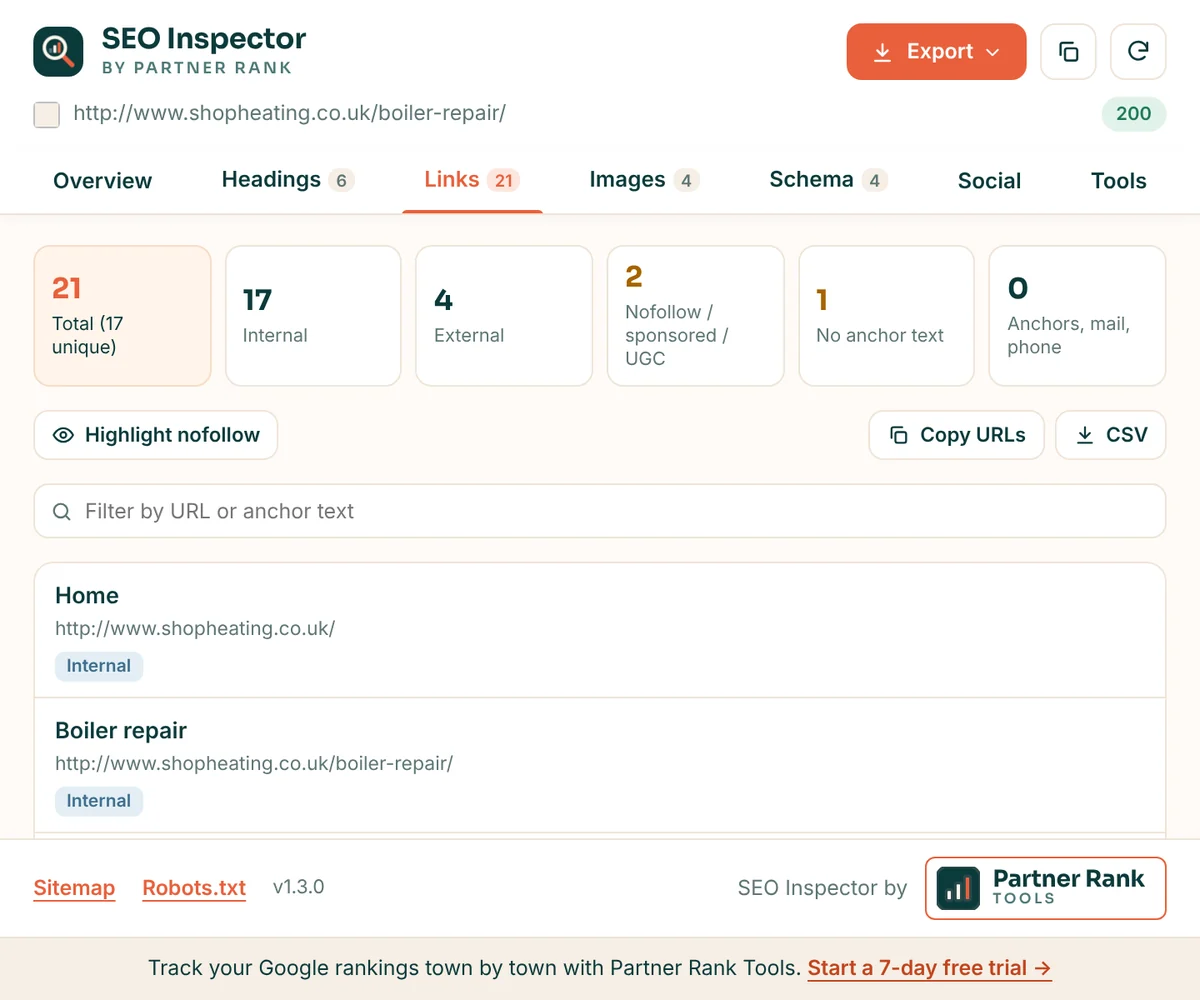
Overview, Headings, Links, Images, Schema, Social and Tools. Here is what each one shows.

Overview

What to fix first, at a glance

Every page starts with a count of issues, warnings and passed checks, then the details: title and meta description length in characters and pixels, canonical, meta robots and the X-Robots-Tag header, language, hreflang, word count and load timings.

  • Pixel-width meters, so you know if Google will cut a title short
  • Canonical, noindex and nofollow problems flagged in plain words
  • "Copy summary" for a quick note to a client or developer
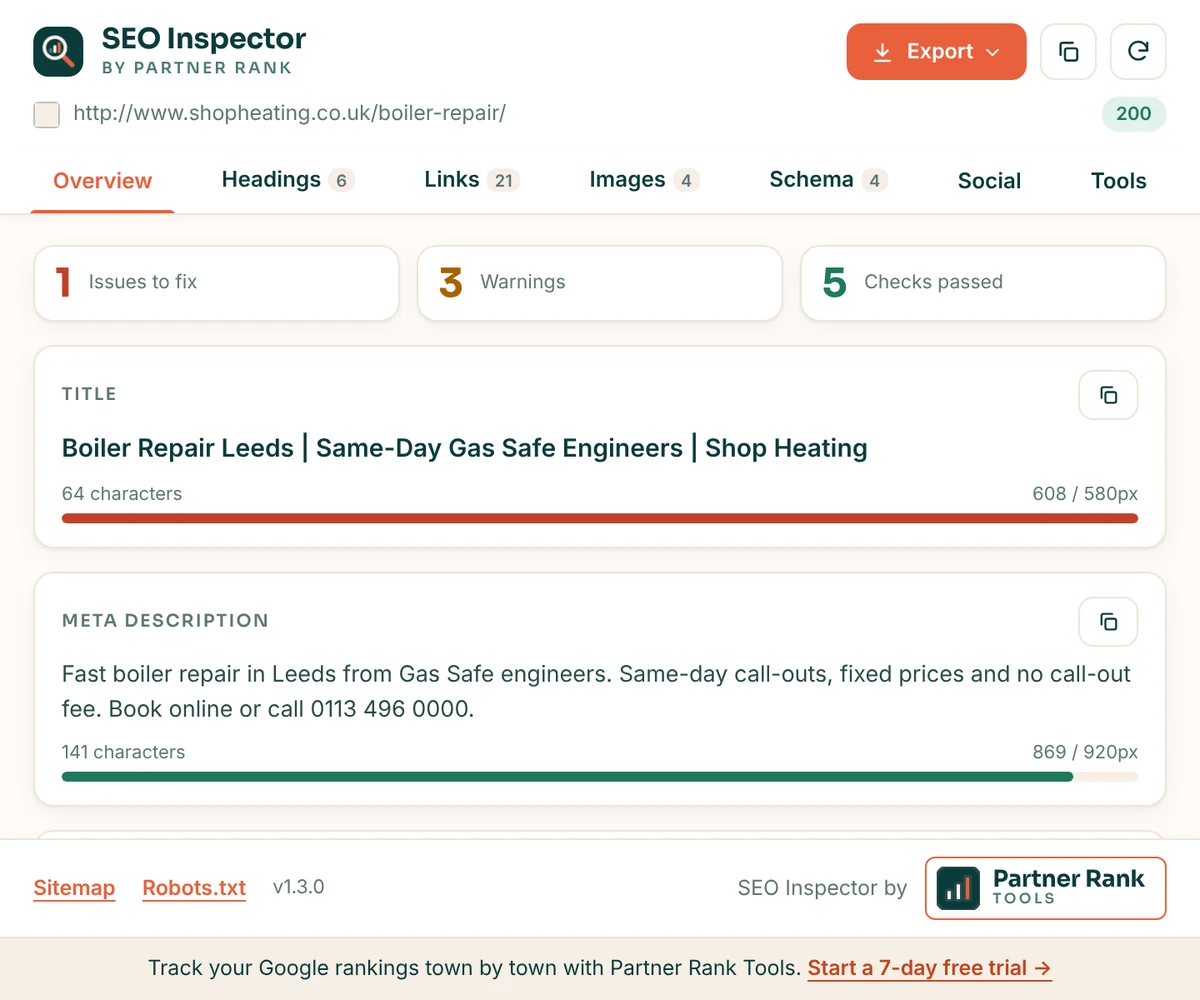
SEO Inspector overview tab showing 1 issue, 3 warnings and 5 passed checks, with title and meta description length meters
Headings

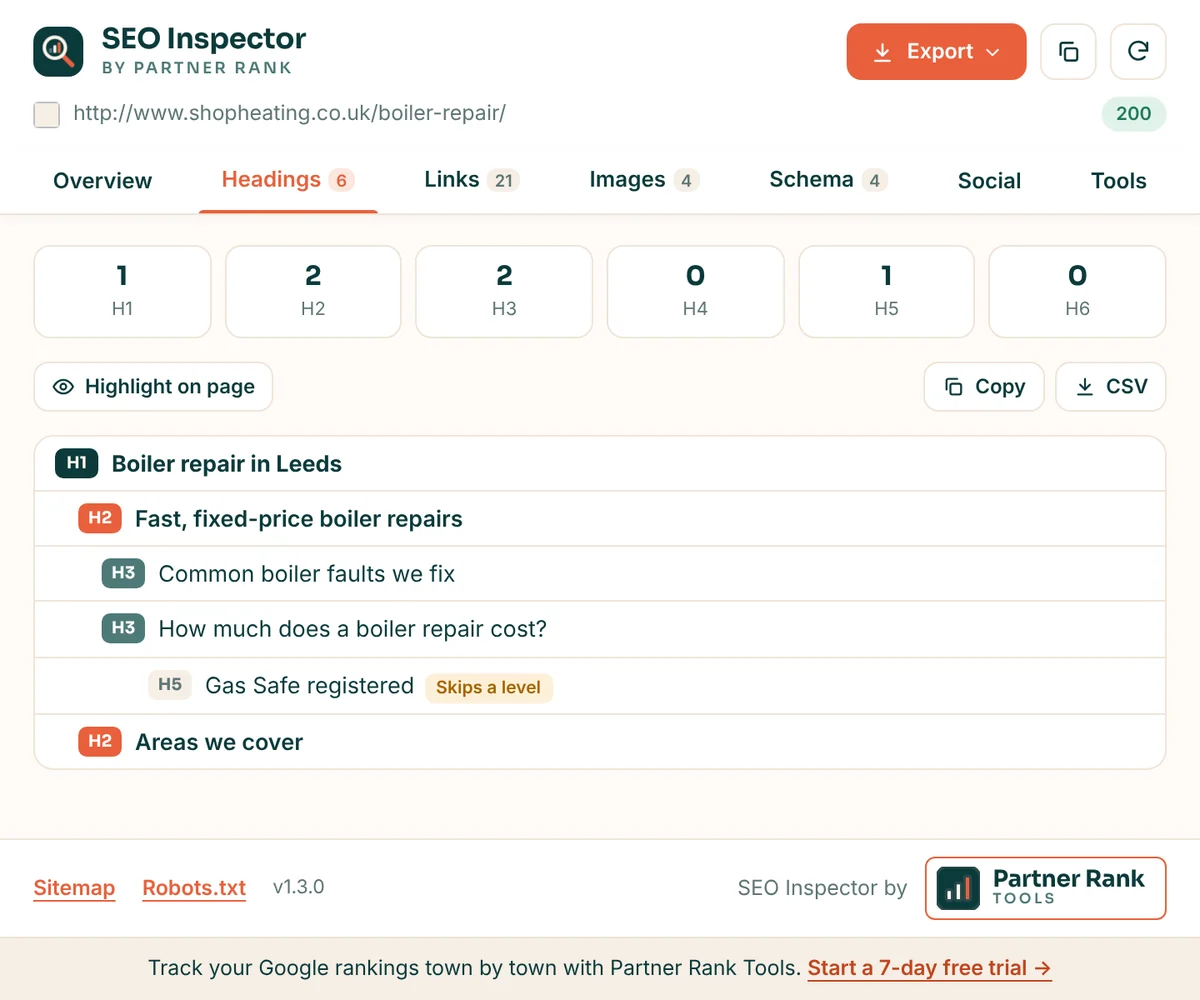
The heading outline, and where it breaks

See every H1 to H6 as an indented outline. Skipped levels, missing or multiple H1s and hidden headings are marked, and one click outlines every heading on the live page so you can see the structure as visitors do.

  • Counts for each heading level
  • Skipped levels flagged, such as an H5 straight after an H3
  • Highlight on the page, copy or download as CSV
SEO Inspector headings tab showing an H1 to H5 outline with a skipped heading level flagged
Images

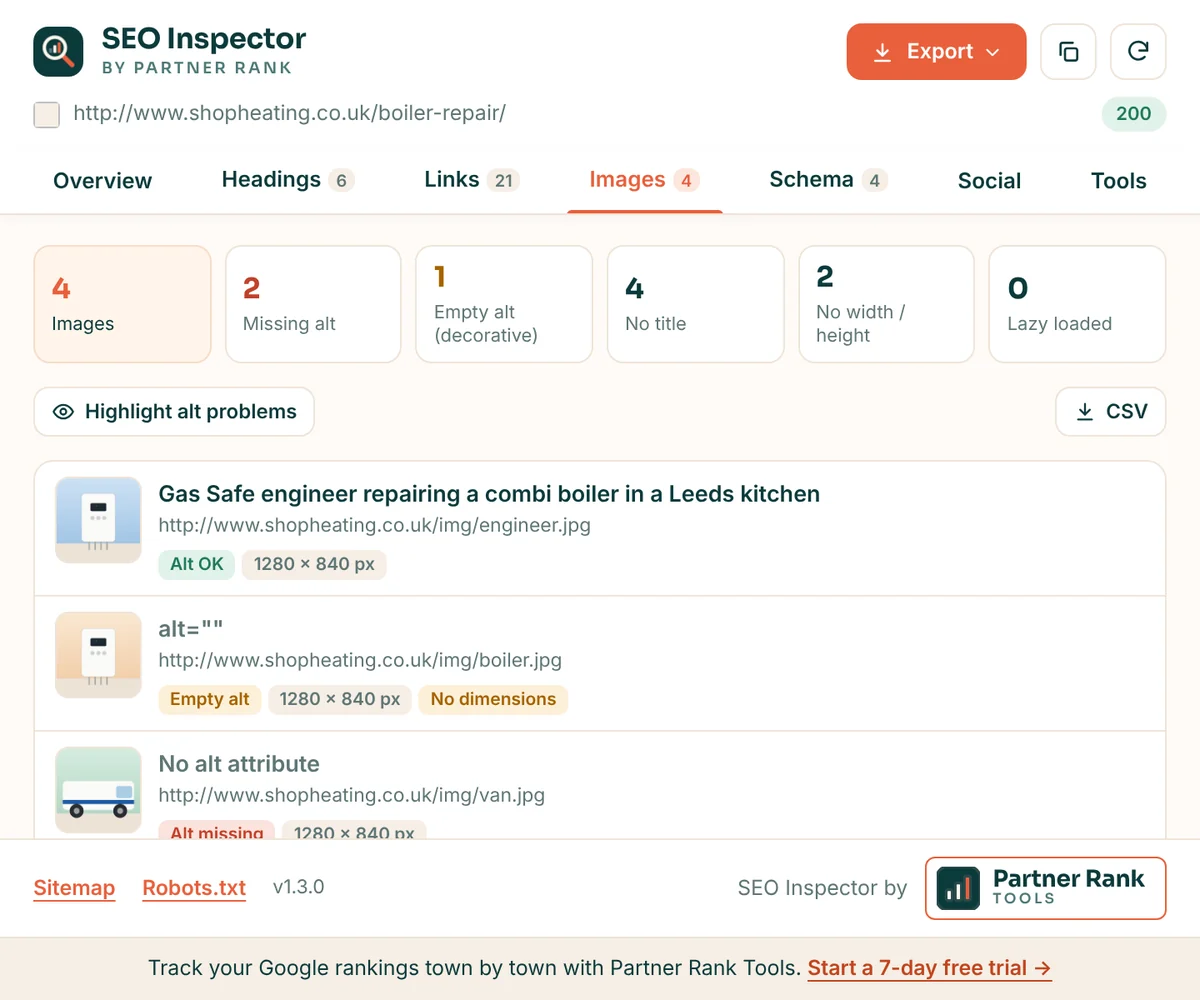
Missing alt text and image sizes

Each image with a thumbnail, its alt text and its size. Missing alt, empty alt, missing width and height, and lazy loading are all labelled, and you can outline the problem images on the page.

  • Missing and empty alt text, side by side
  • Images without width and height, a common cause of layout shift
  • Highlight alt problems on the page, or export to CSV
SEO Inspector images tab showing images with alt text OK, empty alt and missing alt labels
Schema and social

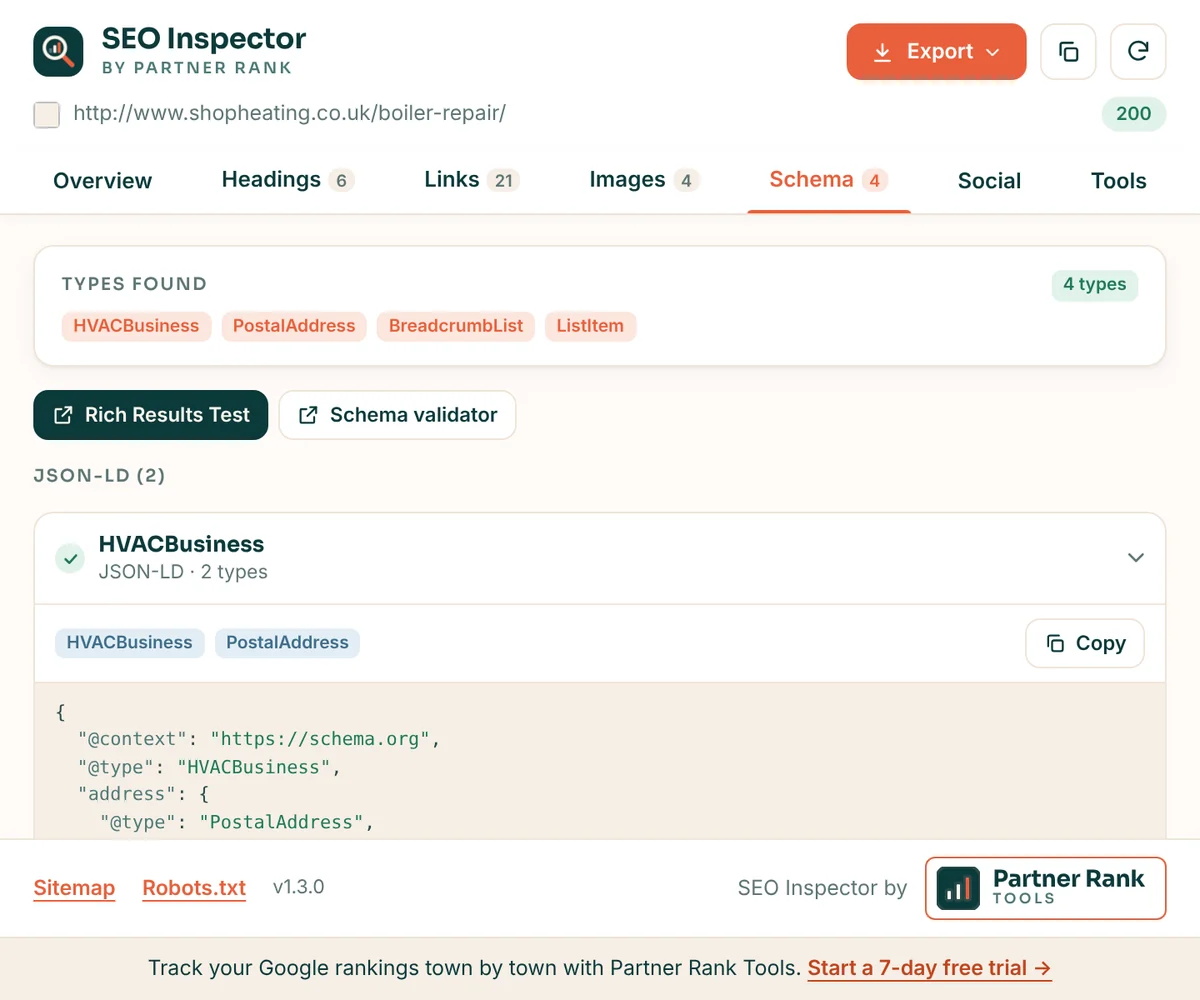
Structured data and share previews

All JSON-LD and microdata on the page, with every type listed and broken blocks flagged, plus one-click links to Google's Rich Results Test and the Schema.org validator. The Social tab previews how the page looks when shared, from its Open Graph and X card tags.

  • Schema types found, with the code for each block
  • Rich Results Test and Schema validator in one click
  • Open Graph and X card previews
SEO Inspector schema tab listing HVACBusiness, PostalAddress, BreadcrumbList and ListItem types with buttons for the Rich Results Test and Schema validator
Exports

Reports and page copy in one click

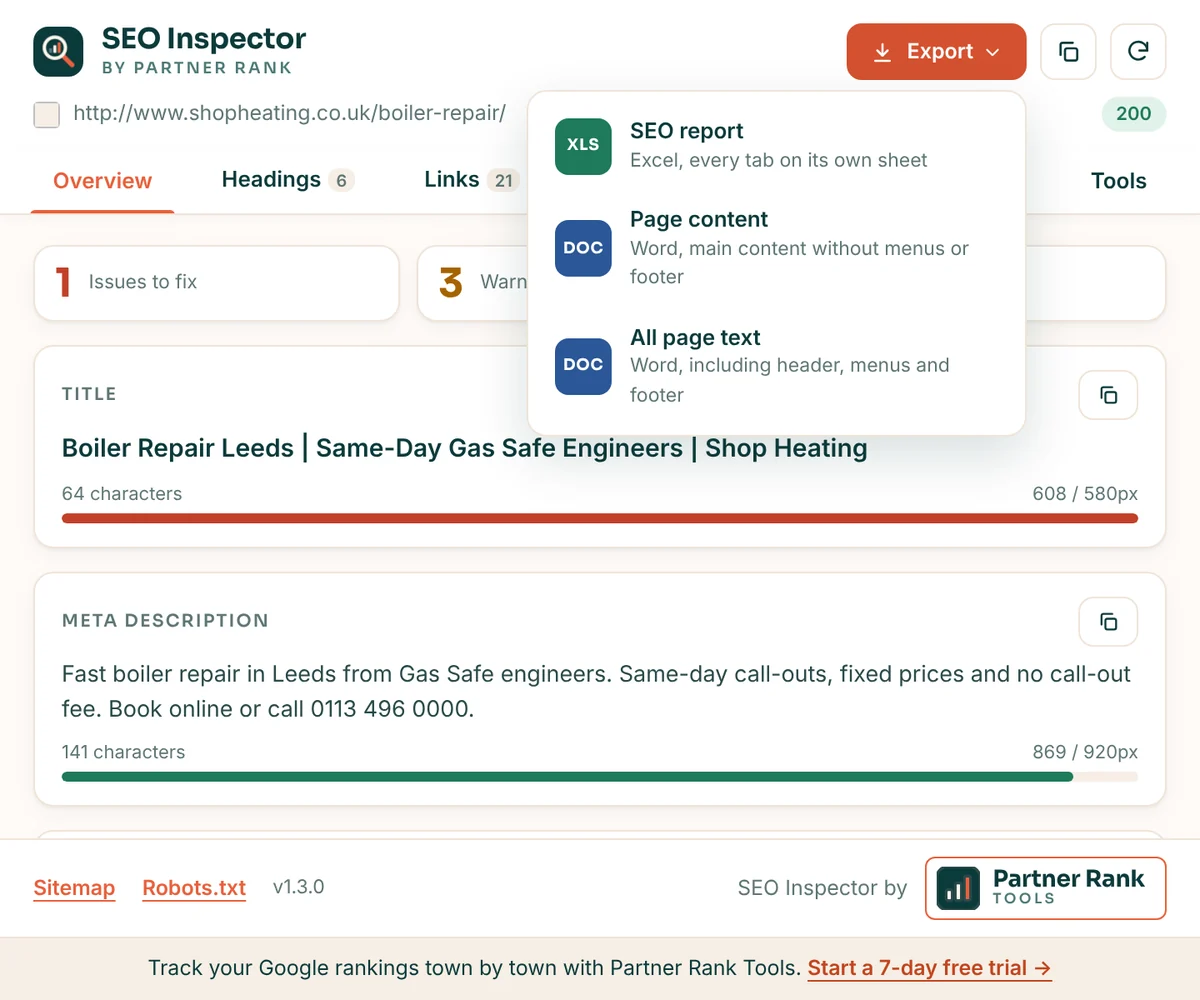
Download a full SEO report as an Excel workbook, with every tab on its own sheet, or the page's text as a Word document: just the main content, or everything including menus and footer. Handy for audits, rewrites and client reports.

  • Excel SEO report: overview, headings, links, images and schema
  • Word document of the main content, without menus or footer
  • Everything is made in your browser
SEO Inspector export menu with options for an Excel SEO report and Word documents of the page content
Tools

The usual SEO checks, already filled in

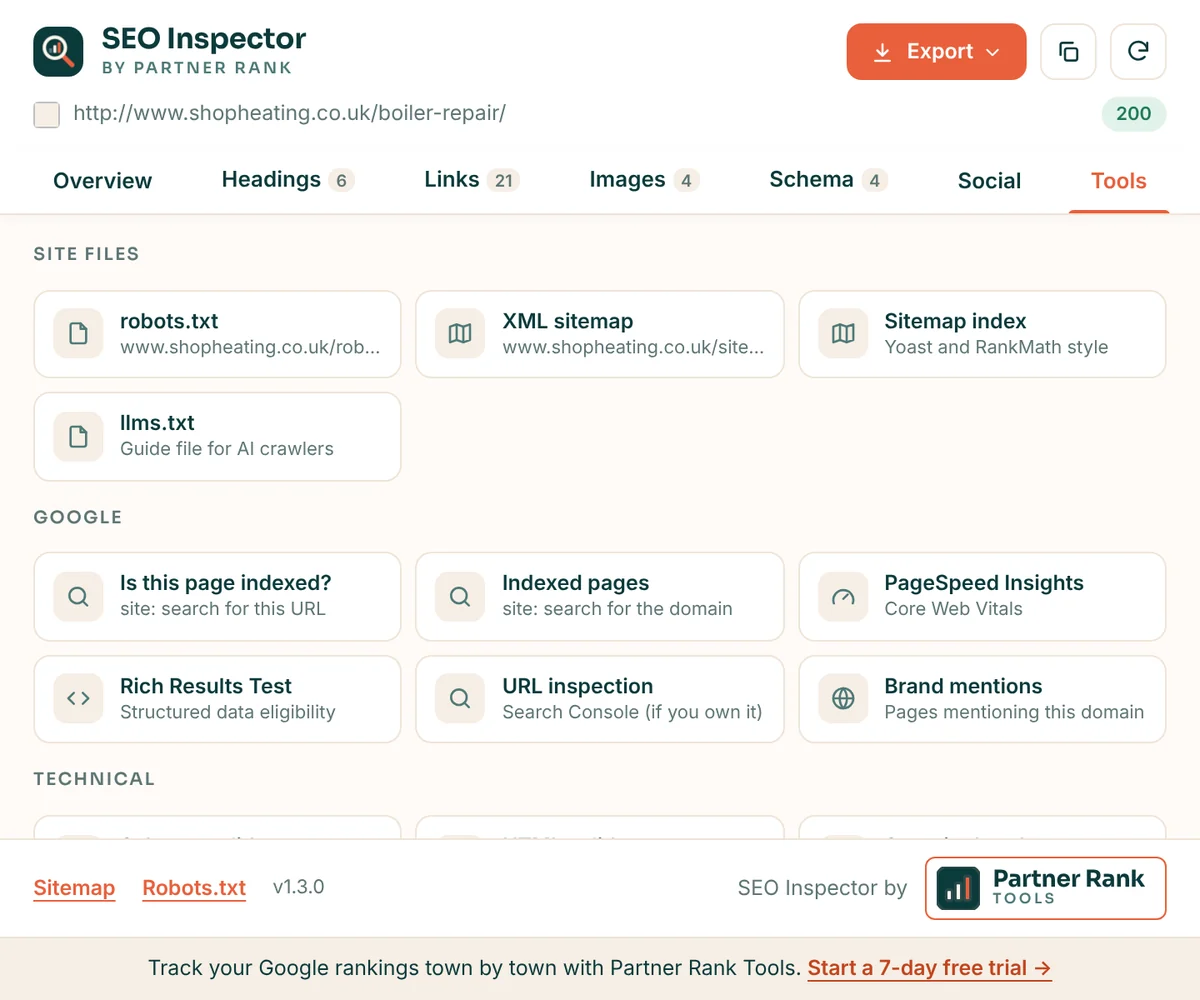
Shortcuts that open with the current page or domain already entered, so you stop copying and pasting URLs.

  • robots.txt and XML sitemaps
  • llms.txt
  • Is this page indexed? (site: search)
  • PageSpeed Insights
  • Rich Results Test
  • Search Console URL inspection
  • HTML validator
  • Security headers and SSL test
  • Wayback Machine
  • Backlink checker
  • Whois
SEO Inspector tools tab with shortcuts to robots.txt, XML sitemap, llms.txt, site: search, PageSpeed Insights, Rich Results Test and URL inspection

Private by design

SEO Inspector works entirely in your browser. It reads the page only when you click its icon, and sends nothing to us or anyone else. Details are in our privacy policy.

  • No sign-up

    Install it and click. There is no account to create.

  • No tracking

    No analytics, no browsing history, no page content collected.

  • Only when you click

    It never runs in the background or on other tabs.

  • Three permissions

    Just the clicked tab, reading that page and one saved setting.

Ready in under a minute

1

Add it to Chrome

Open SEO Inspector on the Chrome Web Store and click "Add to Chrome".

2

Pin the icon

Click the puzzle piece in Chrome's toolbar and pin SEO Inspector so it is always one click away.

3

Open a page and click

Go to any page you want to check and click the icon. The report appears straight away.

From the makers of SEO Inspector

Go beyond one page with Partner Rank Tools

Track your Google rankings town by town, get a ranked list of what to change first from your own Search Console data, and check keyword search volumes for any town or city.

Questions about SEO Inspector

Is SEO Inspector free?

Yes. SEO Inspector is free to install and use, with no account or sign-up. It is made by Partner Rank Digital, who also make Partner Rank Tools.

Does it collect or send any data?

No. It reads the page in your current tab inside your own browser, only when you click its icon. Nothing is sent to us or anyone else, and it has no analytics or tracking. The only request it makes is to the page you are already on, to read its X-Robots-Tag header.

Which permissions does it need?

Only three: access to the tab you click it on (activeTab), permission to read that page (scripting), and storage for one setting, the tab of the extension you last opened.

Does it work on any website?

Yes, on any normal web page: WordPress, Shopify, Wix, Squarespace or custom sites, including pages that are not live yet if you can open them in Chrome. Chrome blocks extensions on its own pages, such as the Chrome Web Store and settings.

Can it check a whole site?

It checks one page at a time, the page you are on. For rankings across a whole site, and a ranked list of what to change from your Search Console data, try Partner Rank Tools.

Which browsers does it work in?

Google Chrome, version 110 or later, on Windows, Mac, Linux and ChromeOS.

Found a bug or have an idea? Email tools@partnerrankdigital.com.

Your next SEO check is one click away

Free, private and quick. Add SEO Inspector to Chrome and try it on the page you're working on.

Add to Chrome, it's free